Guide
Connect ChatGPT to Voxtell
Add Voxtell as a connector in ChatGPT, sign in with your Voxtell login, and ask about your calls and conversations.
Updated
Choose your setup
I use ChatGPT Plus or Pro
Individual plans. ChatGPT calls custom connectors plugins, and adding your own needs Developer mode, a switch in your settings.
Screenshots for
- 01
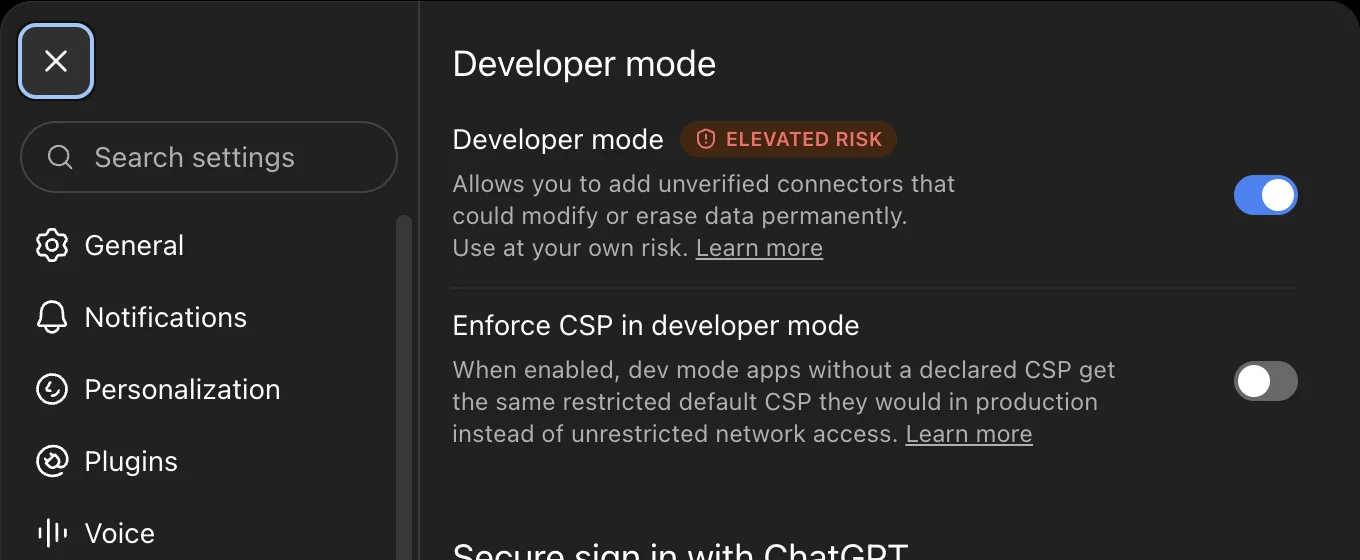
Turn on Developer mode
Open Settings, then Security and login, and switch on Developer mode. It is one toggle and nothing else changes.
- 02
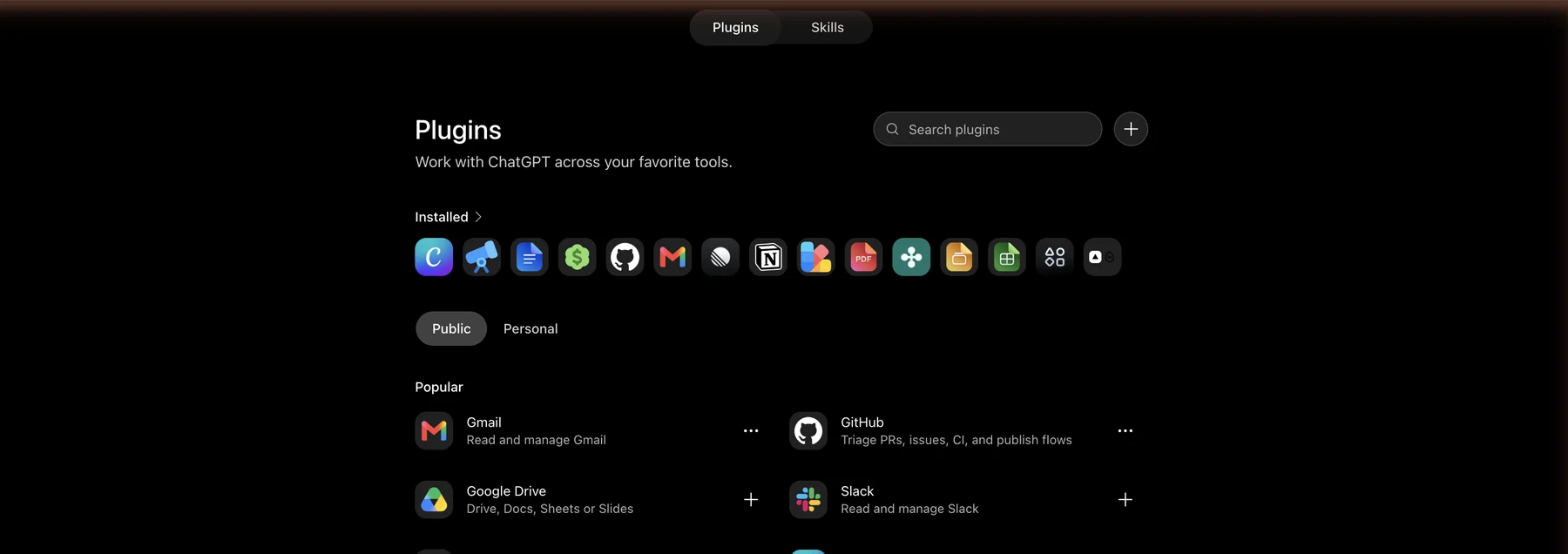
Open Plugins and start a new one
Open Plugins from the left sidebar, or go to chatgpt.com/plugins, and click the plus button next to the search box.
- 03
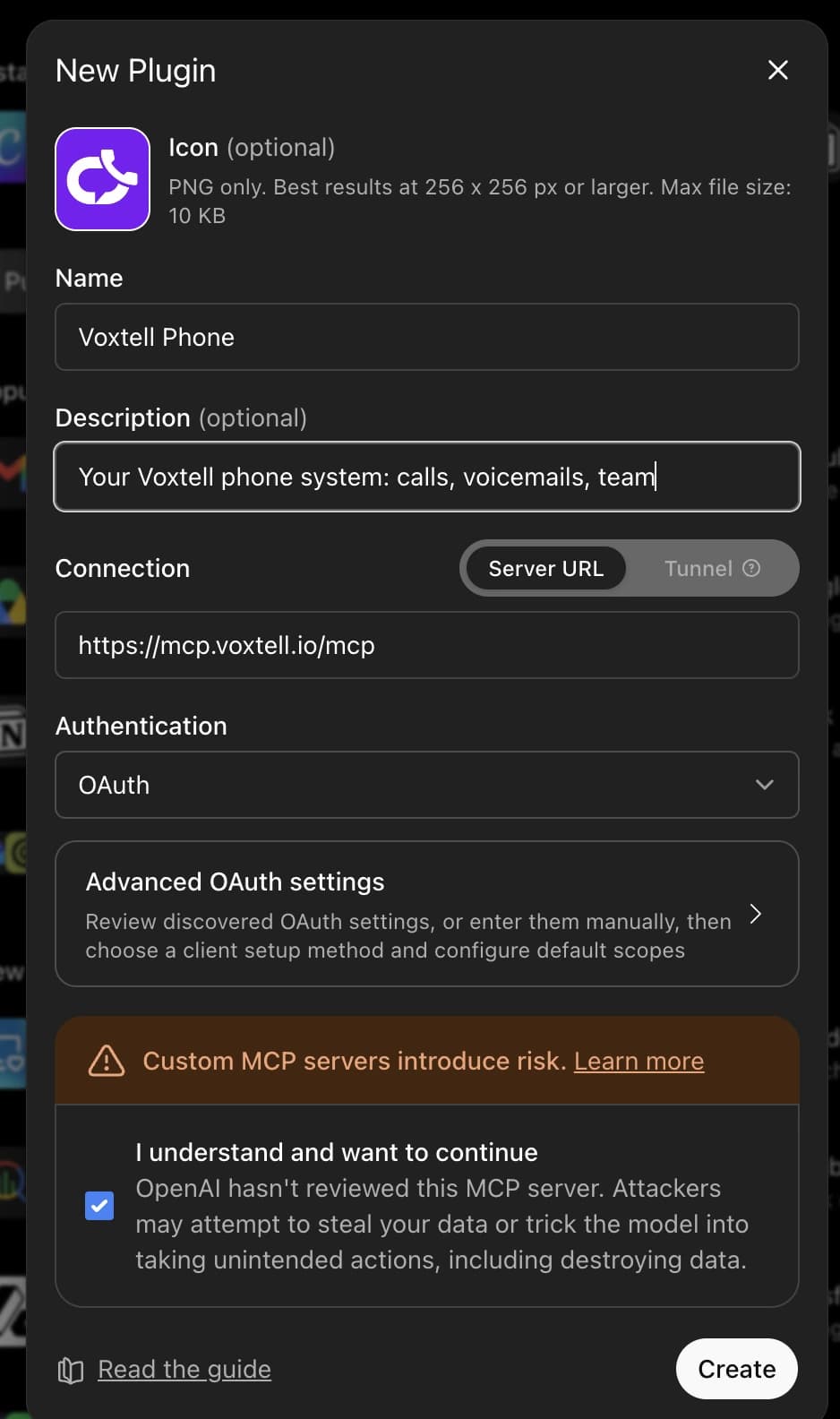
Fill in the New Plugin form
Name it Voxtell Chat or Voxtell Phone, paste the matching address as the Server URL, leave Authentication on OAuth, tick I understand and want to continue, and click Create. The icon is optional.
AI Phone System connector addresshttps://mcp.voxtell.io/mcpAI Chat connector addresshttps://chat-mcp.voxtell.io/mcp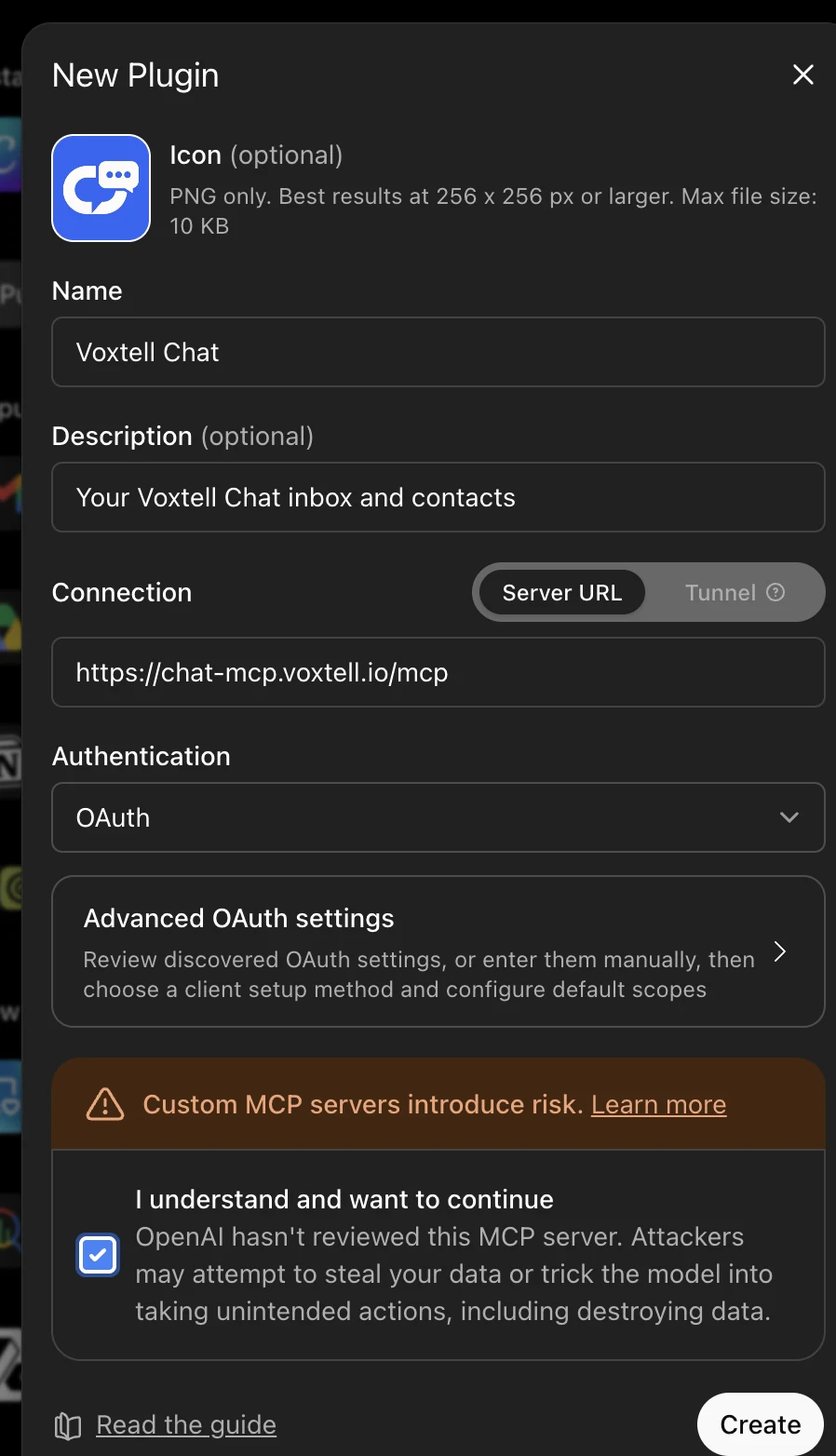
- 04
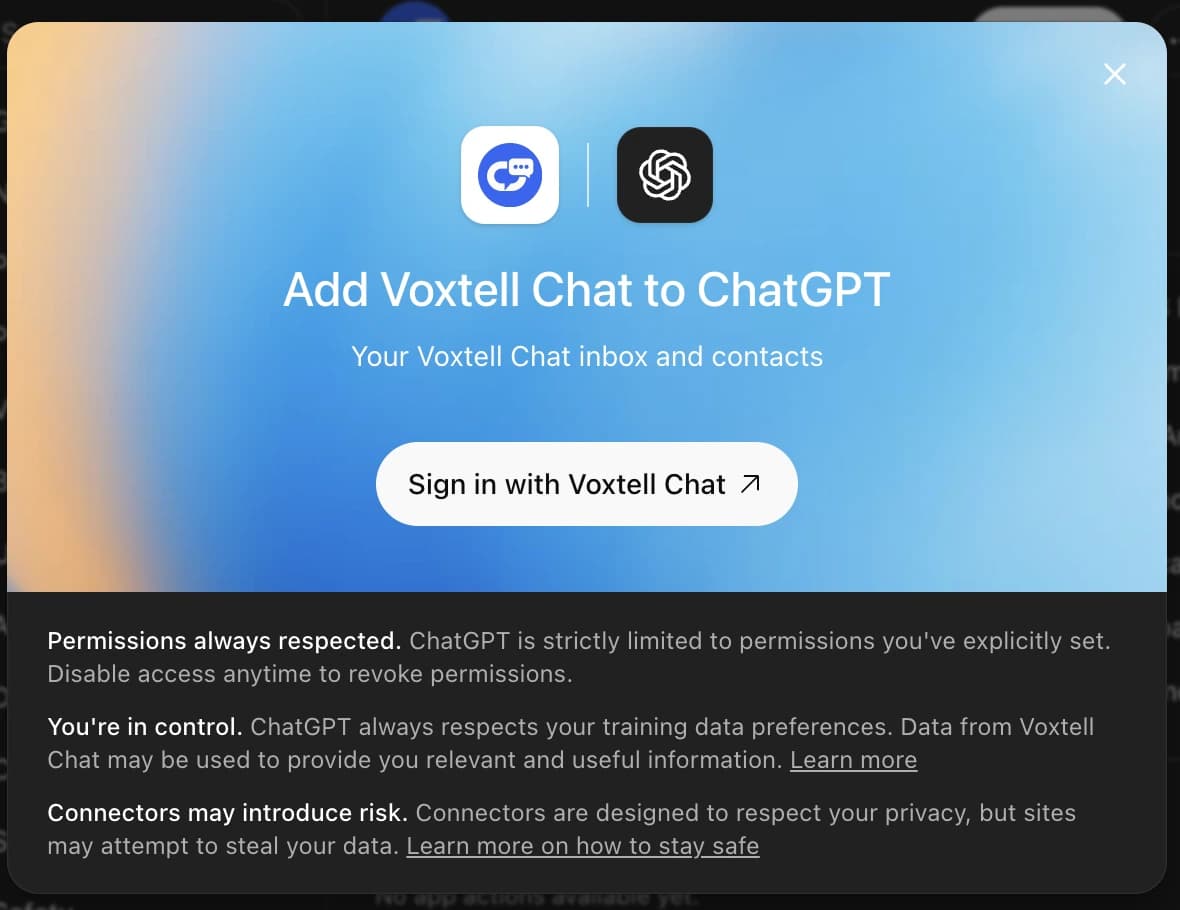
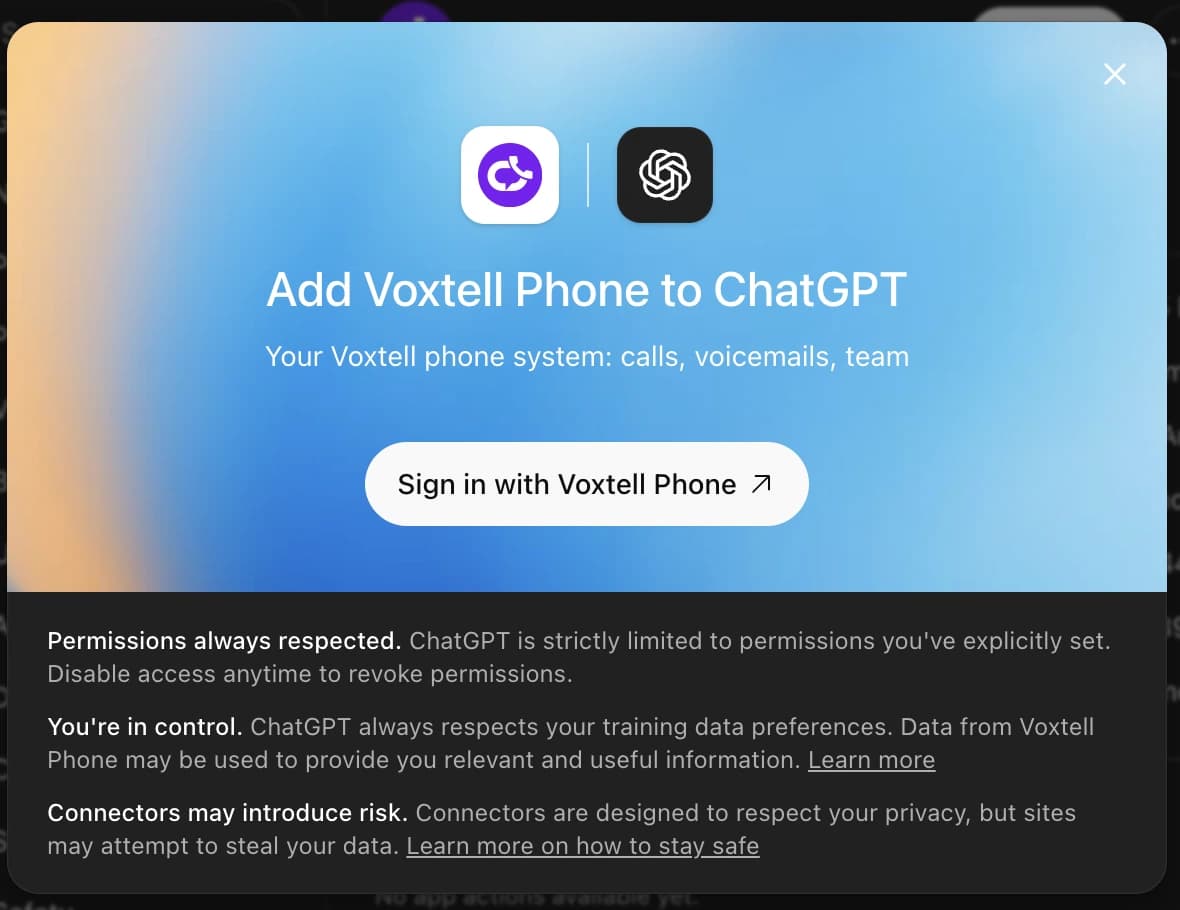
Sign in with Voxtell
ChatGPT shows Add Voxtell Chat to ChatGPT, or Add Voxtell Phone. Click the Sign in button.
- 05
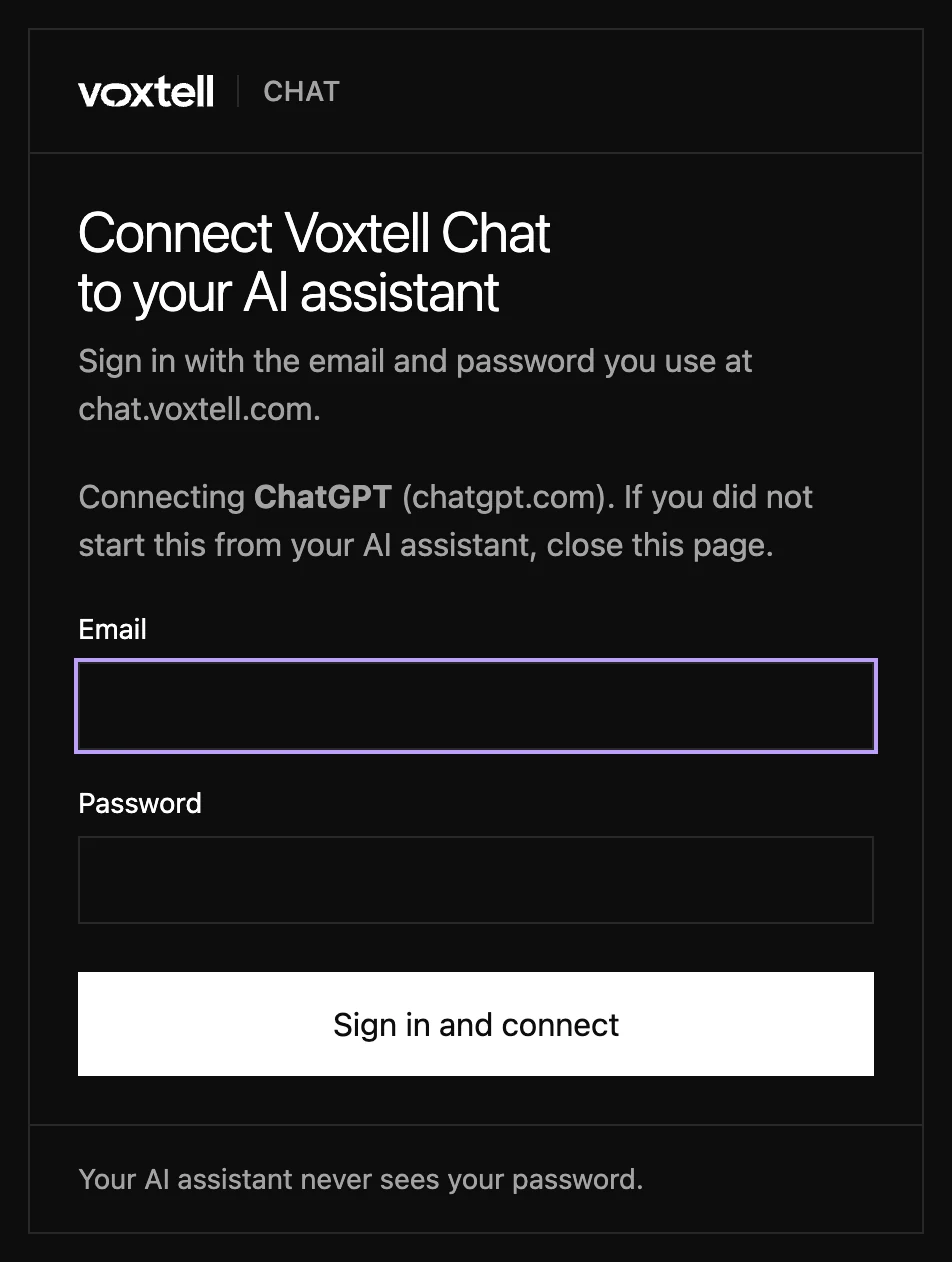
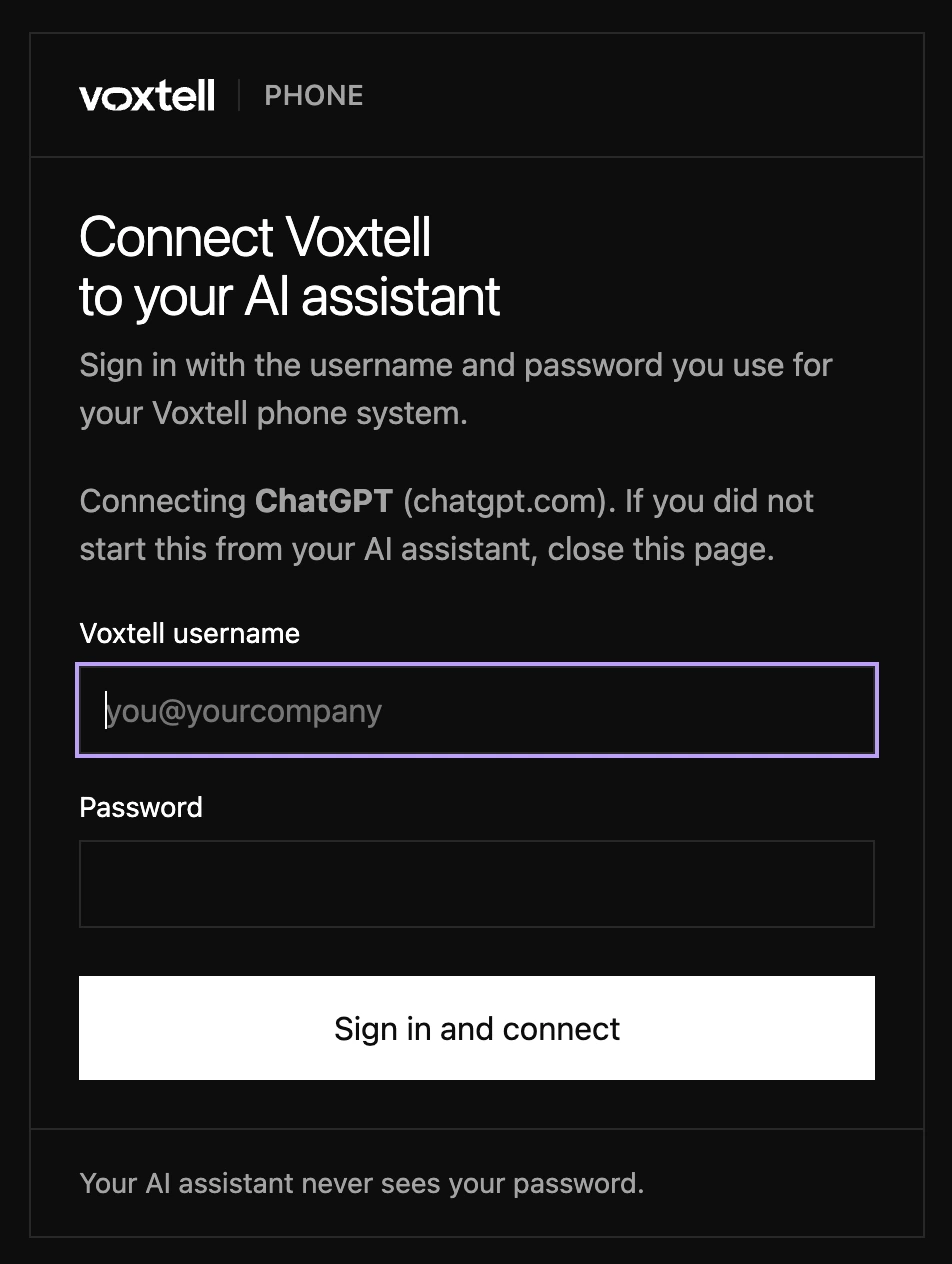
Enter your Voxtell login
A Voxtell page opens that names ChatGPT as the app you are connecting. Enter the login you use for Voxtell (your email for Voxtell Chat, your username for the phone system) and your password, then the code from your authenticator app if your account has two-factor authentication. Voxtell then sends you back to ChatGPT.
- 06
Check the connection
Under Settings, then Plugins, the Voxtell plugin now shows the connection and the actions ChatGPT can use. Permissions default to asking before anything that changes data.
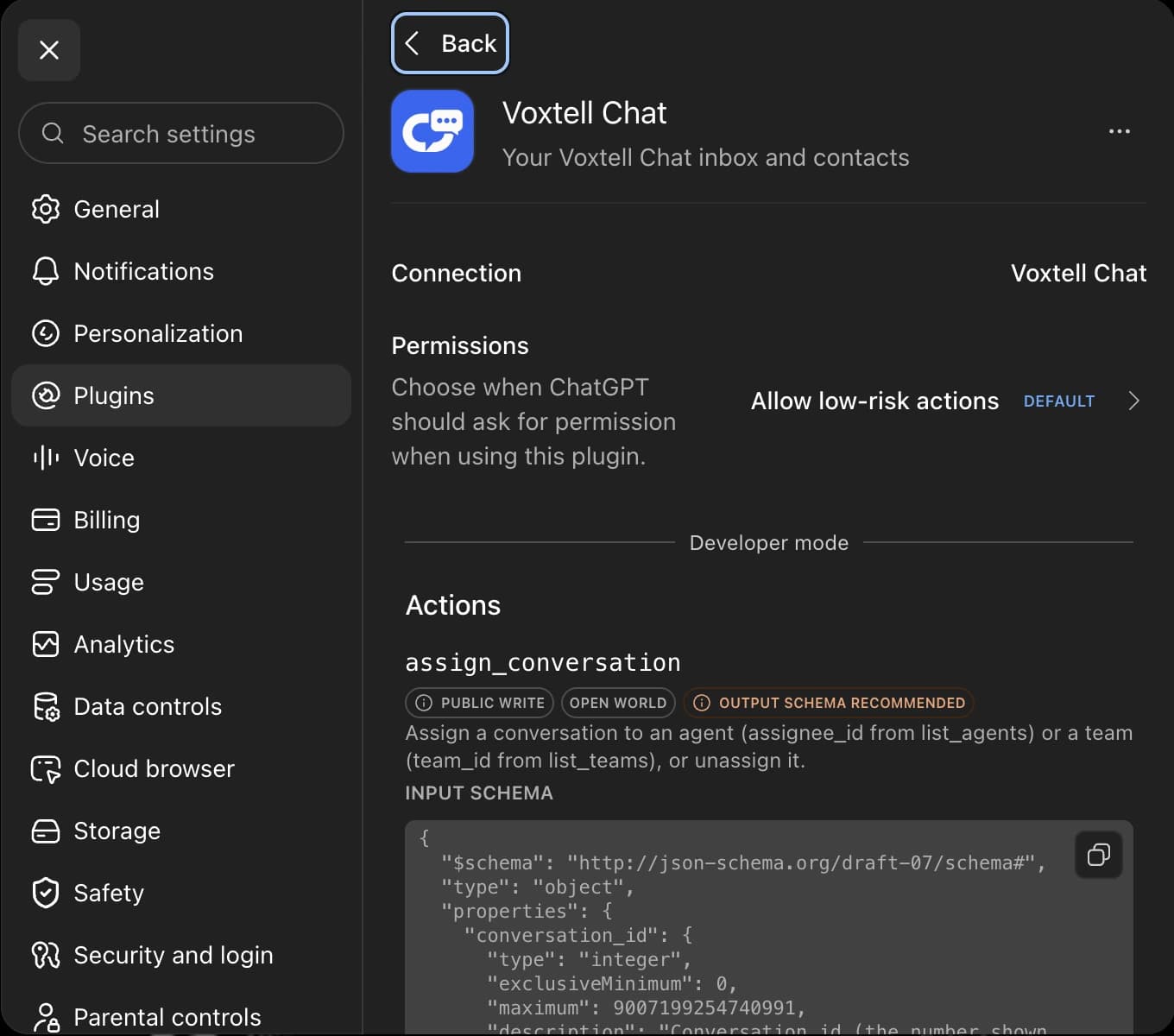
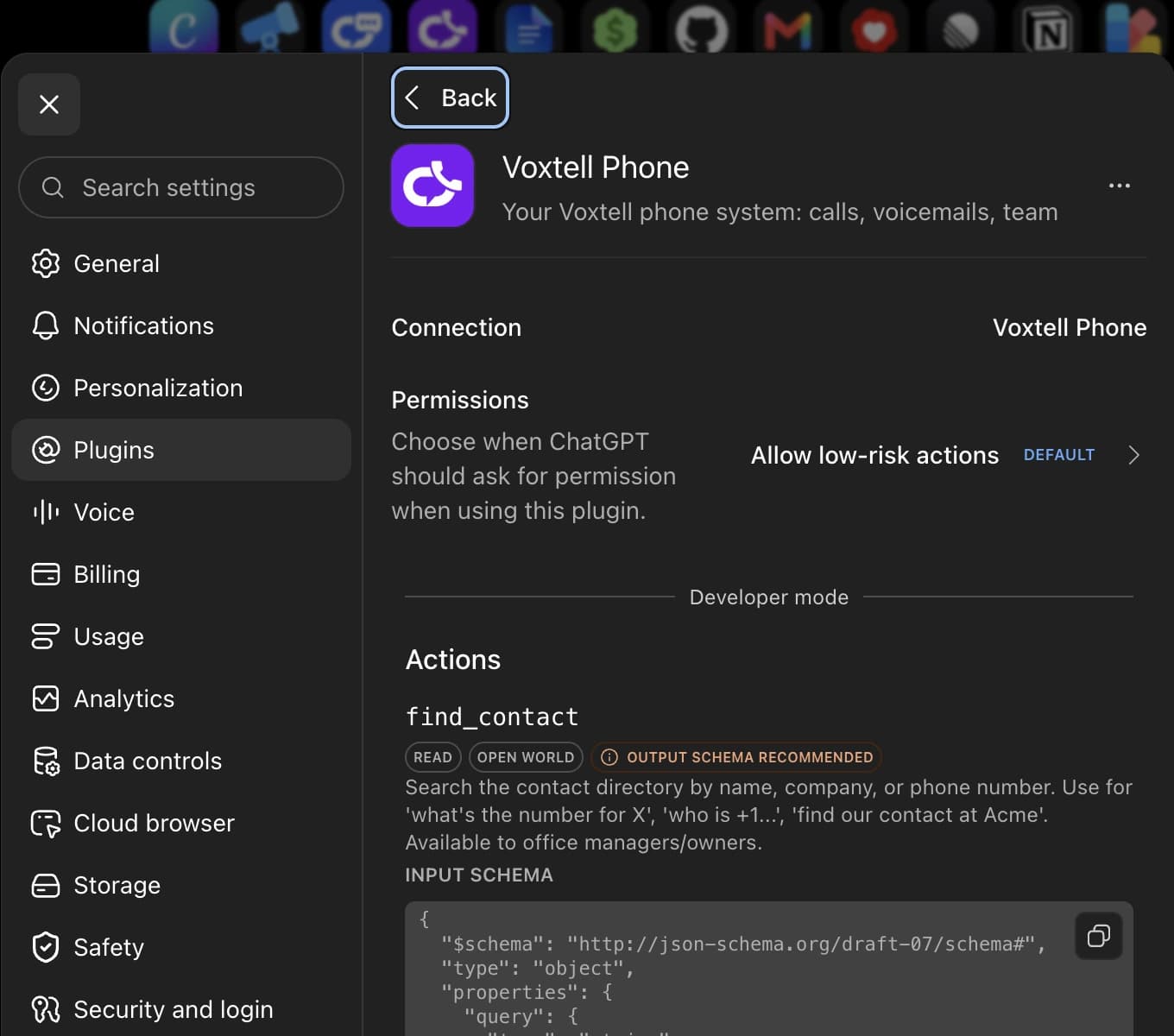
- 07
Ask your first question
Start a new chat and ask something from the list below. Mention Voxtell Chat or Voxtell Phone in the question the first time so ChatGPT picks the plugin.


My company uses ChatGPT Business or Enterprise
A workspace admin adds the plugin once. Members then connect it for themselves.
- 01
Admin: open workspace plugins
In the admin console, open the connectors or plugins section and choose Add or Create.
- 02
Admin: paste the Voxtell address
Name it Voxtell Phone or Voxtell Chat, paste the matching address as the Server URL, choose OAuth, and publish it to the workspace.
AI Phone System connector addresshttps://mcp.voxtell.io/mcpAI Chat connector addresshttps://chat-mcp.voxtell.io/mcp - 03
Member: connect
Open Settings, then Plugins, find Voxtell, and click Connect. Sign in with your usual Voxtell login.
- 04
Member: ask
Start a new chat and ask, mentioning Voxtell the first time so ChatGPT picks the plugin.
First things to try
- “What happened on the phones today?”
- “Read me my new voicemails.”
- “Who is on a call right now?”
- “Show my open conversations.”
- “What did the customer in conversation 218 ask for?”
- “Who resolved the most conversations this week?”
Disconnect
- In ChatGPT, open Settings, then Plugins, and pick Voxtell.
- Choose Disconnect, or open the three-dot menu and choose Delete to remove a plugin you created.
- Access is revoked immediately. For Voxtell Chat, you can also regenerate your API token under Profile settings if you want the stored token gone.
Questions people ask
Works with ChatGPT. ChatGPT is a trademark of OpenAI. Voxtell is not affiliated with, endorsed by, or sponsored by OpenAI.
Safe by design
Your assistant never sees your password
You sign in on a Voxtell page. Claude or ChatGPT only ever receives a revocable connection key.
It cannot delete anything
The connectors have no delete actions. Replies and updates happen only when you ask, and your assistant shows you what it is about to do.
Your data is not used to train AI models
Voxtell does not use your conversations or calls to train models, and the connector privacy pages say exactly what is stored.
Connect in the next five minutes
Find Voxtell in Claude's directory or paste one address into ChatGPT, sign in with your usual Voxtell login, and your assistant knows your business.